Tag: video production

  • Eighth Instalment of the Video Blog Series: Storyboard

    Eighth Instalment of the Video Blog Series: Storyboard

    Step 8: Storyboard
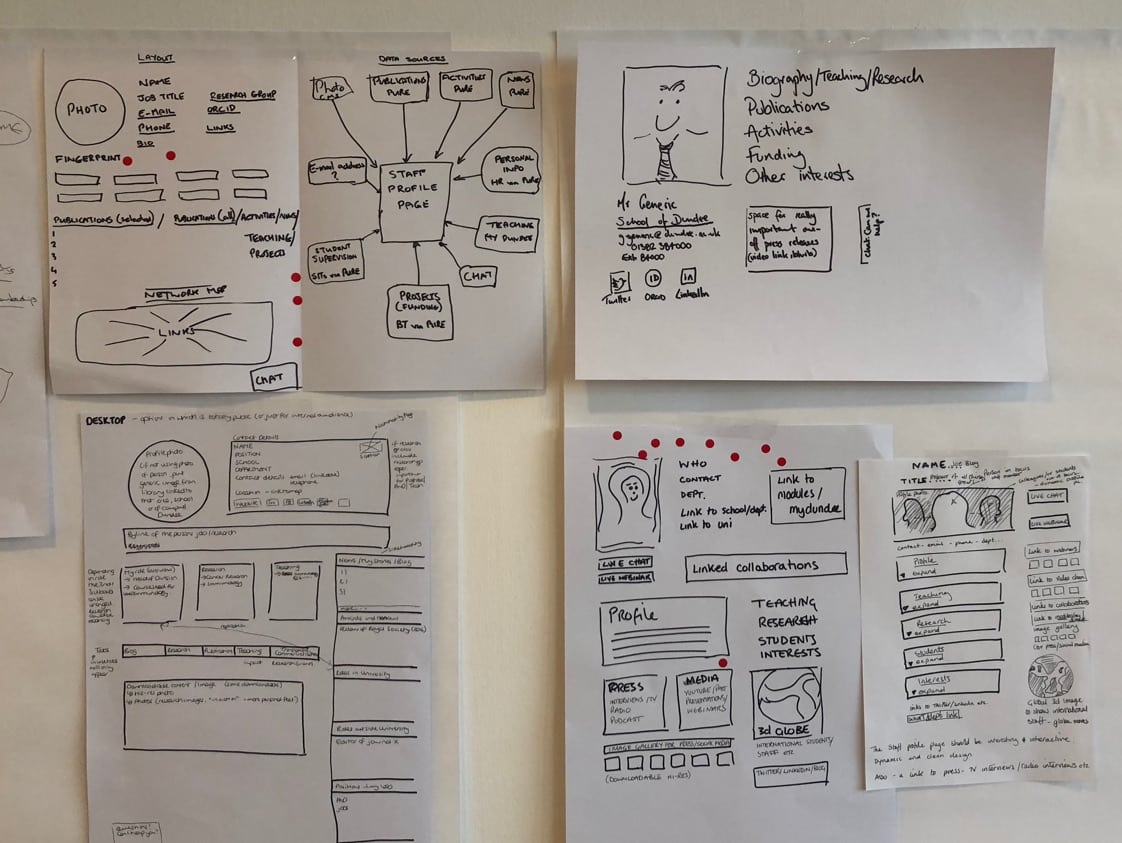
    Okay, so you’ve written your script, you’re done now, right? Not exactly. It’s now time to work with an artist, illustrator, or designer to create visuals that go with your script. The idea is to work with a visual artist to help bring your script and ideas to life, making sure whatever you’re about to shoot is going to look good (and make sense) on film. The type of artist you work with will depend on the medium you’re shooting within— for example, if you’re creating an animated video, you’ll probably want to work with an illustrator/animator (preferably the one who will create your final video) to put together the storyboard.

    A storyboard is not only important for you and your team, but it’s also super important for the artists, actors, and directors, so they can get a good sense of the visuals they’re supposed to recreate. No one is saying the storyboard has to perfectly match what happens in the scene, but it should act as a guide.

    As you can see, each of the images corresponds to some kind of description or dialogue directly from the script. You should be able to hold both the script and storyboard side-by-side to make sure they match up and nothing is missing or seems off. Alright — you’ve got your script and your storyboard done. Before you can shoot, edit, and/or produce your video, there’s a few last details you may want to think about beforehand.

    Final details
    Now, I’m no producer, so it would be best to consult an actual production expert regarding your list of final details, but here are some things you may want to think about before shooting/producing your video:

    Production
    • Hiring a producer and/or production company: if you plan to work with actors, a director, etc, it may be best to hire a producer and/or production company to help. Not saying you can’t do it on your own, but sometimes it’s helpful to have experts on your side• Casting: if you’re using actors, you’ll need to cast the appropriate folks. This can get pretty crazy, especially if you’re looking for a specific type of “look” and acting style (for example: “African-American man who is both a gregarious actor AND singer”). Make sure to list out all the details of the actors you’re looking for to make it easier on yourself, the production team, and the actors themselves.
    • Locations: if you’re shooting outside, in a house, etc, you’re going to need to secure locations, which often requires a permit. Again, this is something a producer/production company can help with. Of course, there are scrappy ways of doing this (i.e. — shooting in your own home, etc) but then you’re looking at other costs like lighting equipment, backdrops, etc.

    Post-production
    • Post-production editor: having a skilled post-production editor is super important. This person is basically responsible for bringing the final idea to life (regardless of what was cut by the film crew). This person will be adding in the Voice Over (which requires precision in terms of timing) and may also be working on the color and final look. It’s a big job.
    • Voice Over talent: this is very similar to casting, especially if you’re looking for a specific-sounding voice. You may think someone “looks the part” in terms of voice, but once you get them into an audio booth reading your script, it may not turn out the way you thought. Again, this is where a producer and/or production company can come in handy.
    • Music / audio: you may be thinking “oh I have the perfect song in mind for this video!” But the reality is, music costs money (and good music costs a lot of money). It’s not that you can’t get a great sound for your video, but you also have to be realistic in what that sound will be (meaning, if you want “Single Ladies,” as you background song, it’s probably not going to happen). Sorry to sound redundant, but a producer and/or production company can help with this.
    • Text overlays: this is something your post-production editor will do, but you want to make sure that if you need some type of text to appear on screen (i.e. “Buy now!”) you’ll need to account for that when shooting. For example, if you need text to appear in a specific shot, you need to make sure that scene has enough negative space for you to add that text in without looking too crowded or weird. It may sound like a minute detail, but if this one shot is why you’re doing the video in the first place, it’s important to map out these details ahead of time.
    And…action!

    We hope you enjoyed this Blog Series on Video Production. Our next blog series will focus on all the different e-commerce platforms. Be sure to check back for this.

    Sources:
    https://medium.com/swlh/how-to-create-a-promotional-video-707fa7a63019
    https://learn.anniemaguire.com/copy-that-converts

  • Sixth Instalment of the Video Blog Series

    Sixth Instalment of the Video Blog Series

    Step 6: Outline the idea

    Assuming you have a loose idea for your video, it’s now time to start fleshing out the details. To do it, I would suggest you start at a high level, then work backward from there. It’s time to start thinking about the details of the story. For example:

    Scenes
    How many different scenes will there be? How many locations will be needed?
    Characters
    How many characters? Who are they? What is their storyline? What do they look like?
    Audio / Voice over / text overlay
    Will the video be set to the sound of someone’s voice? Will there be background music? Will any text need to appear on screen in order to get the message across?
    Product
    How does the product fit into the story? How many times will the product appear and when/how?
    Props
    Any major props needed to make your story work (i.e. — iPhone, car, bridge, elephant, etc)?

    Final CTA (Call to Action)
    What’s the last message we leave the audience with? What do we want them to feel / do? There’s really an endless number of details to consider here, and every answer you come up with will likely lead to another question. The idea is to try and figure out as many details as you can, so when you go to write your script, all the pieces will start to fit together. Speaking of which, it’s time to get out your pen and pencil — it’s script time, baby!

  • Fourth Instalment of the Video Blog

    Fourth Instalment of the Video Blog

    More and more people are becoming accustomed to streaming TV shows and full-length movies online. What length plays well for YouTube videos these days? And how does the appropriate length differ for the different types of videos your organization may be considering putting online?

    Will this be a 30-second video? 60-second? A minute plus? 5 minutes? You may be thinking: “how can I know the length of the video until I script it out?” And trust me, I hear ya! But the reality is, without using some type of time parameters, your video will likely end up too long and potentially unfocused.

    Remember, your idea should only be as big as the time it has to unfold, so putting restrictions on your concept will only help to make it stronger and more effective.
    This will also help you avoid frustrating situations, like forcing yourself to cut a two-minute script down to 30 seconds (which is like torture, btw).

    If you’re not sure how long your video should be, you’ll want to consider these factors:
    • Your goal (i.e. — brand awareness, clicks, etc)
    • Where the ad will appear (i.e. — TV, social media, website, etc)
    • Overall budget (i.e. — shoe-string, low, mid, high, unlimited, etc.)
    For example, if your goal is to promote your holiday sale, a 30-second ad is probably enough to get your point across. However, if you’re trying to move your audience to tears, you might need a 1.30, or even 2 minutes+ to get the job done.

    To get a gauge, think back to the direction and tone you’re aiming for. Next, check out existing videos that use a similar tone and see how long they are, as that may help guide you (for example, if all the videos are at least one-minute long, that may be a good starting place).

    The second thing to consider is where the ad will appear.
    For example, 30–60 second commercials are very common for cable TV, while longer-form videos are more common online. And then there’s online ads takeovers, Facebook/Instagram video ads, pre-roll ads, etc, all of which have their own set of restrictions and best practice guidelines.

    It doesn’t matter where your video is appearing, you just want to make sure you’re taking placement into consideration when planning it all out.

    Lastly, there’s your budget. If you’re on the lower end of the spectrum, you’re likely only going to be able to afford one cut (or one version) of the video, which is why so important for “getting it right” the first time. If you’re on the higher end of the budgetary spectrum, you may be able to cut many different versions (i.e. —90, 60, 30, and 15 sec spots) which will give you more wiggle room when it comes to things like video placement, reworking the storyline with different focus/angles, etc. Once you’ve settled on duration, it’s time to think about what your video will look like.

    When you first sign up with YouTube, your account will be limited to videos under 15 minutes, until the account has been “verified.” Once “verified,” you can post any video that doesn’t exceed 20GB. Practically speaking, this means that hour-long keynote speeches and training sessions from your annual conference are well within reach! If encoded properly, the videos will still look excellent even if not at the absolute highest quality resolution.

    Here’s what we think about the best length for different videos on YouTube:
    • Favor short videos. If you can make it shorter and make all the same points, do so.
    • Make sure to start off energized, and get the important stuff in. Your audience will start to disappear over the length of your video. Wistia reported that for a video of 4-5 minutes, fewer than 60% of your viewers will still be with you–against 75% for a 1-2 minute video.
    • Don’t hold your call to action to the end, especially for longer videos. Consider a clickable annotation that appears in the first few seconds
    • Think about breaking your longer videos up into digestible bits. Training in particular lends itself to this. Instead of making a single video that shows a long process, make a playlist that links pieces of the process for a coherent whole. That makes it easy to learn your process in digestible chunks suited to current attention spans. A speech that is clearly delineated into sections with different subtopics will break up well into smaller pieces, too. Side benefits to this break-up are an increased number of video assets and most likely an increased number of views for videos on your channel.
    • On the other hand, don’t ruin a great speech by breaking it up. If a speech has been designed as a single continuous speech, keep it as is and allow the audience to sit back and experience the full impact.

    Nexonta Technologies Inc.
    On to the Next Level

    Sources:

    https://medium.com/swlh/how-to-create-a-promotional-video-707fa7a63019

  • Third Instalment of the Video Blog

    Third Instalment of the Video Blog

    Step 3: Set the tone
    Creating and editing video is not a cumbersome process anymore. But, what matters is the Video Content. Video Content is the basic and important part of your video. Getting a huge number of viewers on your video depends on the video content and is a challenging task. In most cases, if the video is way too long, then you can expect that viewers will consistently drop off. Any of your videos is judged by its contents, presentation, production quality, style, and the valuable information it provides. All these factors are essential to maintaining the audience’s attention. Here are some video production tips that will help you out to improve the production quality of your video marketing content to boost it up.

    Stay Original
    The concept on which your video is based must be innovative and original. Never go for the easy routes and never copy anyone’s idea. You must, rather, conduct keyword and personal research to find out what is popular and successful in your industry and which type of video content is famous. You must double-check everything to ensure that no other brand has covered the same topic already.

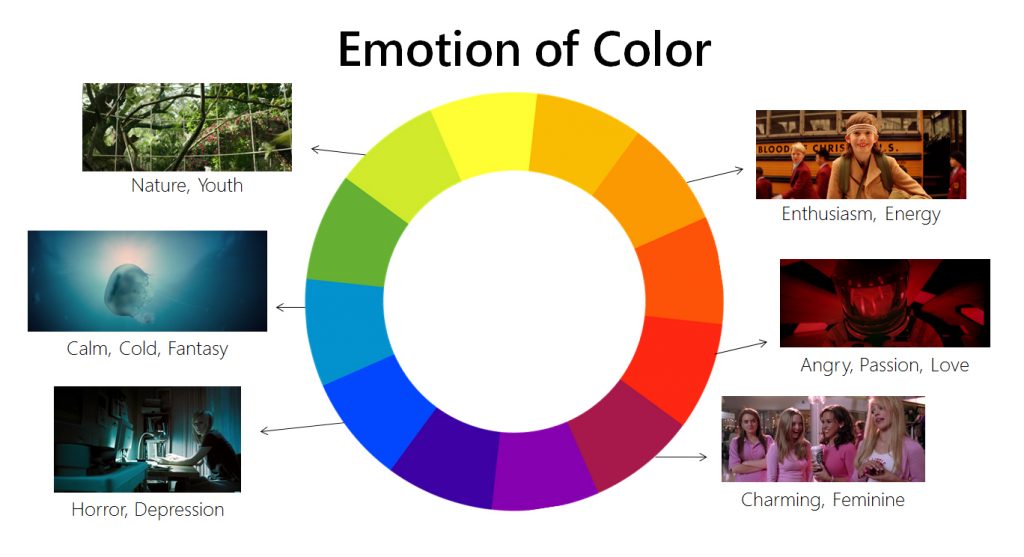
    Tone is defined as “the general character or attitude” of something. But to make it simple, you can just think of it as how your video is going to make your audience feel.
    For example, do you want to make your audience laugh or do you want them to be moved? Do you want them to feel informed, or do you want to tell them a story?
    Keep in mind, the creative direction (chosen in Step 2) should play well with whatever tone you decide to go with. For example, if you decide to create an “introductory” style video for your homepage hero, it probably doesn’t make sense to use an “urgent” tone, as that’s best for things like a sale.
    (Of course, pairing a particular creative direction with an unexpected tone isn’t necessarily a bad thing — it just comes down to proper execution).

    Below are some various tones you can explore for your concept and creative direction:
    • Dramatic — moves you emotionally.
    • Straightforward/informative — clear and concise.
    • Conversational—casual and authentic.
    • Urgent— urges you to take action, like now.
    • Fun/playful —uses fun creative devices (like anthropomorphism, for example).
    • Humorous — comedic; makes you laugh or smile.
    • Quirky — uses peculiarity or the unexpected to drive home a point.
    • Cutesy— something that makes you go, “awww!”.
    • Entertaining — aims to inform and entertain. Super Bowl ads typically fall under this category.
    • Inspirational —uses inspiration to drive action (manifestos are typically done in this style).
    • Artsy /hip/cool— feels youthful, stylish, trendy, etc.
    • Luxurious — shiny, fancy, flashy, sexy, rich. Think luxe car commercials, high-end hotel chains, etc.

    There are certainly many more tones and directions you can explore, but hopefully this gives you some ideas as to how your video may come to life.

    Sources:

    https://fstoppers.com/bts/filmmaking-tips-how-create-different-moods-your-videos-166366

    https://medium.com/swlh/how-to-create-a-promotional-video-707fa7a63019

    https://www.techwithgeeks.com/video-production-tips/

  • This is our second Blog in our 8 week You Tube video series – Choosing a Direction for your video

    This is our second Blog in our 8 week You Tube video series – Choosing a Direction for your video

    Today’s blog focusses on choosing a direction for your video to be produced, but first there are a few minor but key points that need to be considered before any video shooting begins. First off there are the 3 stages of video production: Pre-production — This is when everything is being planned. Suppose you’re shooting a film, then the pre-production process will include: writing a script, casting, planning costumes, budget, location, etc. Production — This is the time of the action. And the last stage is Post Production which involves editing the video and finalizing it.

    Once you have organized for the three stages of your video project it would be smart to consider these 8 points to keep in mind as you go through the making of your video.

    Tips for Creating Marketing Videos
    1. Tell a Story. Instead of being overtly salesy, an effective video tells a story.
    2. Make Sure the Introduction Stands Out.
    3. Create a Stimulating Title.
    4. Focus on the Mission and Less on the Product.
    5. Don’t Be Boring.
    6. Get a Little Bit Risqué!
    7. Make it Mobile Friendly.
    8. Think About SEO.

    Now that you have your frame work mapped out then it is time to consider these starting points:

    How to Create a Good Video
    1. Find a good camera. An 8-megapixel phone camera or better will get the job done well.
    2. Pick a good location. Find a place find a place with good lighting.
    3. Get a good angle. You should probably place the camera at or above shoulder height.
    4. Speak clearly.
    5. Be alive!
    6. Transfer for editing.
    7. Edit on YouTube.
    8. Make short clips.

    Choose a direction
    Now that you have your “why,” it should be a little bit easier to determine what makes sense in terms of direction.
    For example, let’s say you’re a new company who wants to create an intro video for the homepage hero on your site; the goal of the video is to introduce the brand and get people to sign up.
    In this case, you would likely go with a video that’s more along the lines of “introductory” or “explanatory” in nature. You may even find that a combination of several directions makes sense.
    For example, maybe you’re a new company, but you’re up against a lot of competition. Perhaps an “introductory” style video with a “problem/solution” angle would be ideal (showing the “old way” as the problem and the “new way” [meaning your company] as the solution).
    To give you some ideas, here’s a list of possible directions you could go in:

    • Introductory: tell your audience who you are, explain your mission, etc.
    • Explanatory: explain how something works (like your product or a specific feature)
    • Problem/solution: show the old way/new way and how your product is the solution
    • Narrative: use story elements (like plot, conflict, resolution, etc) to subtly introduce or explain something
    • Drive action: get the audience to do something (i.e. — shop now)
    • Product-focused: introduce or showcase a specific product or feature
    • Testimonial: interviews, quotes, soundbytes, etc, with customers around a specific topic or theme
    • Endorsement: use of celebrity or influencer approval / likeness
    • Informative: educate your audience about something specific, tutorial-style, etc.
    • Entertainment: delight or inspire your audience using story, humor, etc.

    Once you have your goal and direction finalized, it’s time to further refine your approach by setting the tone for your video.

    Sources:

    https://www.google.com/search?client=firefox-b-d&q=tips+on+choosing+a+direction+for+a+video+production

    https://medium.com/swlh/how-to-create-a-promotional-video-707fa7a63019

    Nexonta Technologies Inc

    On To The Next Level

☎ ✉
f 𝕏
error: Content is protected !!